
I almost did not buy the Cricut Joy Xtra. I had read the reviews and watched the videos, and I still had a nagging feeling it would end up like the bread maker I bought in 2009, sitting on a shelf in the garage until the church rummage sale. So let me start this review the honest way: I have had it for about seven months now, and it is not gathering dust. It is also not as effortless as the marketing makes it look. Here is what I actually learned, the good and the bad, from using it in my craft room outside Indianapolis.
The short version is this. The Joy Xtra is a smart cutting machine that works with more than 50 materials, from vinyl to iron-on to cardstock, and it connects to your computer, tablet, or smartphone so you can design your own projects. It cuts, and the included Fine Point Pen lets you add drawn details to a project. It does Print-Then-Cut with an inkjet printer for full-color stickers. What nobody tells you is that the first three projects will test your patience, the software has a learning curve, and you will ruin some perfectly good material while you figure it out. I ruined plenty. Let me walk you through what that actually looks like.
The Quick Verdict
A capable cutter with a real learning curve. Buy it for the long haul, not for instant perfection.
Amazon Check Today's Price →The honest version: it earns its place on your table once you get past week one.
If you want a cutter that handles vinyl, iron-on, cardstock, and stickers without taking over your whole craft room, the Cricut Joy Xtra is worth a serious look.
Amazon Check Today's Price on Amazon →How I've Used It
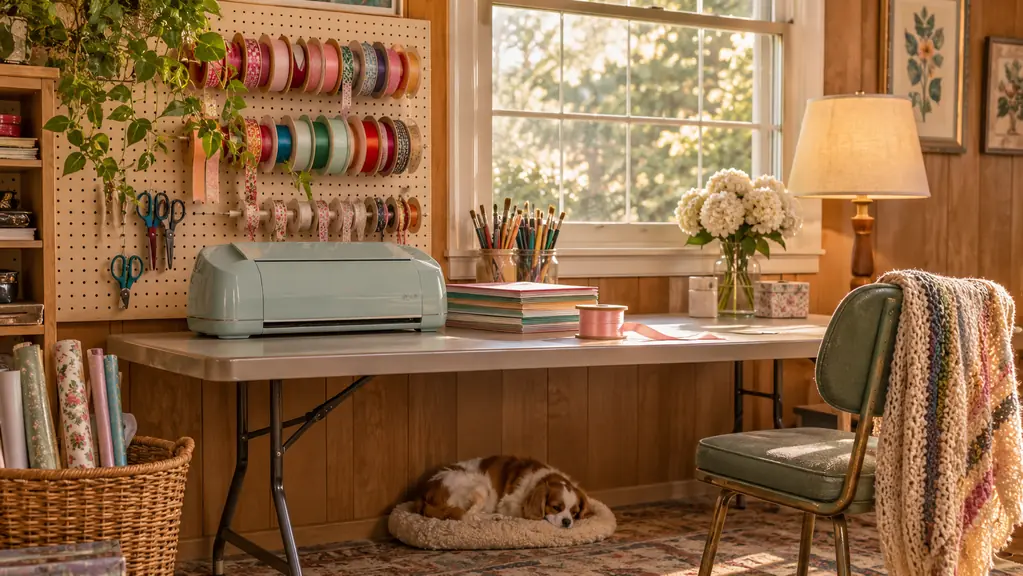
I'm Marlene, I'm 58, and I've been crafting for about 25 years. My craft room is the converted spare bedroom in our 1960s ranch house, with a long folding table under the window and a pegboard wall that holds more ribbon than is reasonable. My dog, Biscuit, a 7-year-old beagle mix, sleeps under that table and has stolen more yarn than I care to count. I make wreaths, seasonal decor, framed vinyl signs, and enough cardstock cards to fill a shoebox every Christmas.
I bought the Joy Xtra for one specific reason: the church holiday bazaar in December. I sell a few pieces there every year, and I was tired of buying vinyl lettering for signs when I knew I could cut it myself. The box arrived with the machine, a Fine-Point Blade, a Fine Point Pen, a Mini Weeder, a welcome card, a USB cable, and a power adapter. I unpacked it on a Tuesday. By Friday I had cut my first vinyl sign, and it was crooked. By the following Tuesday I had cut a second one, and it was straight. That first week is the part nobody posts about.
Since then I have used it for cardstock cards, iron-on tote bags, vinyl labels for the pantry, and a batch of full-color stickers for my granddaughter's birthday. The active cutting surface is 95.94 square inches, just about the size of a standard sheet of cardstock, so most of my projects fit without any fuss. The machine is small enough to live on the folding table and light enough that I can move it to the garage when I'm doing something messy.
The bazaar came and went, and I sold out of my vinyl signs by noon on the first day. People kept asking if I had more, and I kept saying I could make more, which was true for the first time in my life. That is the real reason I'm writing this review. Not because the machine is perfect, because it is not. Because it does what I need it to do, week after week, and it has earned its spot in a way I did not expect.
What Nobody Tells You About the First Week
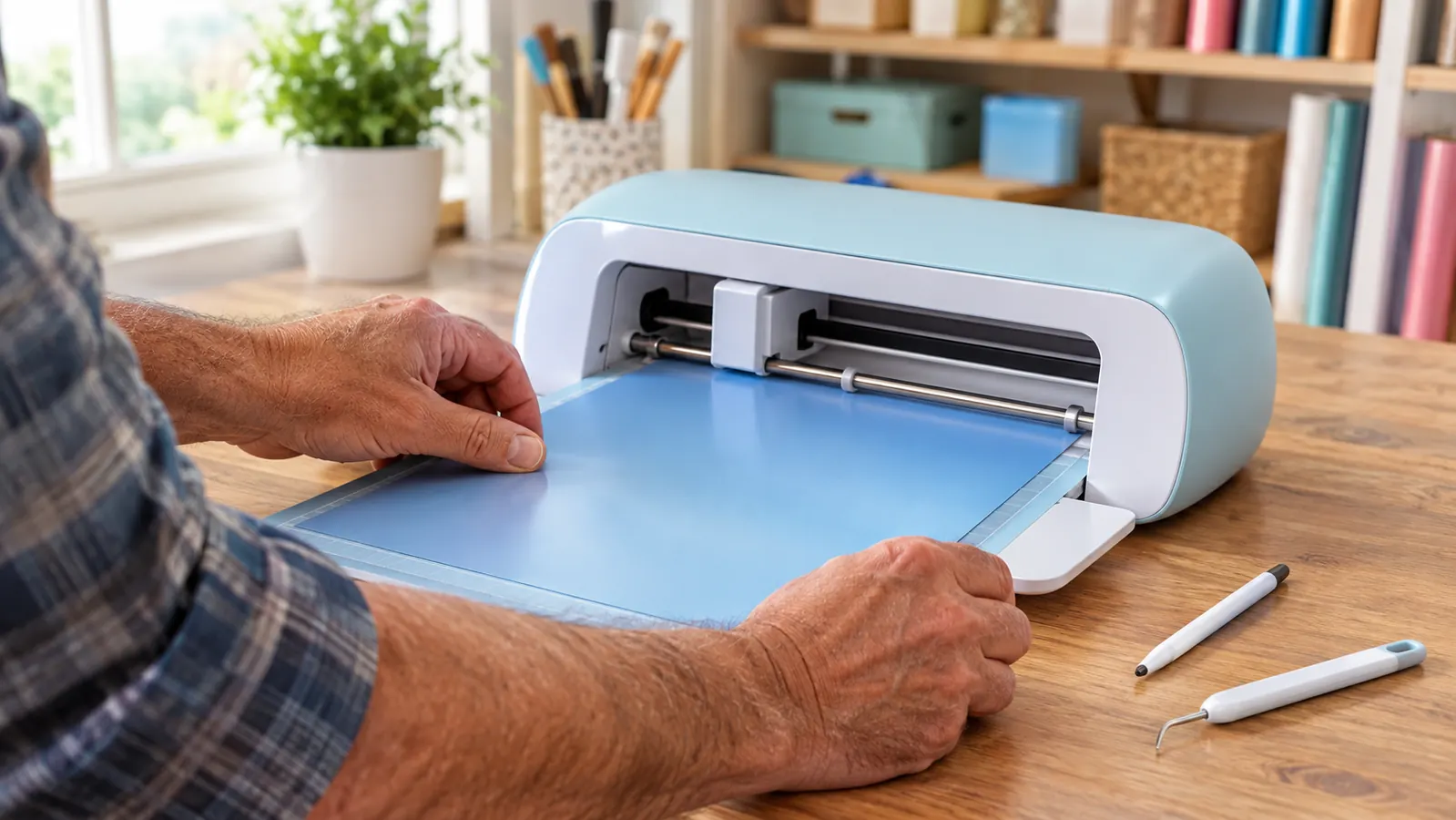
Here is the honest part. The Joy Xtra is an automatic cutting machine, which means once you send it a design, it does the work. What nobody tells you is that getting the design ready to send is the actual job. You design on your computer, tablet, or smartphone, and the Cricut software takes some getting used to. My first afternoon, I spent an hour trying to figure out why my text was cutting through instead of cutting out. I wasted a perfectly good sheet of cardstock. Ron, my husband, who is not crafty but builds me a shelf every now and then, watched from the doorway and said nothing, which is his way of being supportive.
The other thing nobody mentions is the weeding. Vinyl lettering comes off the backing in pieces, and the little bits inside letters like A and R have to be picked out with the Mini Weeder. The tool is included, which is good, because you will need it. My first sign took almost two hours from design to finished. My second took forty-five minutes. By the tenth, I could do one in about twenty. The machine was never the slow part. I was.
I also learned that the software gets updated from time to time, and that an update can move a button to a new place. The first time it happened, I thought I had broken something. I had not. The machine was fine. I just had to find the button again. If you are used to tools that stay exactly the same for twenty years, like my trusty glue gun, this takes some getting used to.
What It Cuts Really Well
The listing says it works with more than 50 materials, and I believe it, because I have personally cut vinyl, iron-on HTV, cardstock, and sticker paper, and all of it came out clean. The Fine-Point Blade that comes in the box handles all of it. I have not had to replace the blade yet, and I have cut a lot of cardstock. For a machine at this size, that has impressed me.
Cardstock is where the Joy Xtra shines for me. I make cards for every occasion, and being able to cut a batch of matching tags and layers in one pass has saved me whole evenings. Last fall I cut forty cardstock tags for the bazaar in a single afternoon, and every one of them was exactly the same size. Try doing that with scissors. I dare you.
Iron-on is the other big one. I made tote bags for the bazaar with iron-on HTV, and the cutter handled the cutting without any trouble. The one thing I will say honestly is that iron-on takes practice to get the placement right, and the machine cannot help you with that part. The cutting is the easy part. The pressing is on you.
Vinyl signs are the reason most people look at this machine, and the Joy Xtra does not disappoint there. I have made signs for the pantry, for the front porch, for a friend's new kitchen, and for the church coat drive. The trick I learned the hard way is to weed the vinyl carefully and to use transfer tape for anything with more than a few letters. The machine cuts the letters perfectly. The rest is patience, and I have plenty of that after 25 years of crafting.
Print-Then-Cut: The Feature Everyone Asks About
The feature that sold me was Print-Then-Cut. The Joy Xtra is compatible with inkjet printers, so you can print a full-color design on your home printer and then load it into the machine to cut it out. That is how I made the stickers for my granddaughter's birthday: full-color images, printed and then cut precisely around the edges. It felt like a small triumph the first time, and I am not someone who impresses easily.
What nobody tells you is that Print-Then-Cut has a learning curve of its own. The design has to print at the right size, and the machine has to know exactly where the image is on the sheet. My first attempt came out slightly off, and the cutter ran through the edge of the image. My second attempt, after I followed the on-screen instructions exactly, cut perfectly. The lesson, as with everything on this machine, is that the first try is practice.
One more honest note: you need an inkjet printer for this feature, and the ink needs to be fresh. Faded ink means faded stickers, and the machine cannot fix that. If you do not have an inkjet printer, this particular feature will not be useful to you, and you should know that before you buy.
I have also used Print-Then-Cut for gift tags and party favors, not just stickers. The same trick works: print the sheet, let the ink dry completely, then let the machine do the cutting. If you are the kind of person who likes to make the whole gift, the tag included, this feature will keep you busy all year.

The Little Things That Surprised Me
The included extras are genuinely useful, which surprised me. The Mini Weeder has lived in my apron pocket since week one. The Fine Point Pen draws clean lines, so I can make designs that are half drawn and half cut, which gives cards a handmade feel that a rubber stamp cannot match. And the bundle came with 30 additional premium images, which was a nice surprise when I was still too intimidated to design my own.
The 1-year manufacturer warranty is standard, but I appreciated that the welcome card tells you what to do if something goes wrong. I have not needed it, but I read it, which is more than I can say for most of the things in my craft room.
I also want to say something about the size. The active surface area is 95.94 square inches, and for my projects that has been plenty. I know some people worry that a smaller machine means they will outgrow it. I have not outgrown it. The projects I make, wreaths, signs, cards, labels, stickers, all fit. If you are planning to cut huge banners or long vinyl decals for a business, this is not the machine for you. For a kitchen table or a spare-room craft corner, it is just right.
One small thing I did not expect: the machine is quiet enough that Biscuit keeps sleeping under the table while it works. My old paper cutter makes more noise than this thing. I can run a batch of cards in the evening without waking Ron, who goes to bed early. That matters more than you would think.
Where It Falls Short (Honestly)
I promised you the bad, so here it is. The learning curve is real, and it is the number one reason people give up. If you are not the kind of person who enjoys figuring out new software, the first week will frustrate you. I nearly put the whole thing back in the box on day two. I am glad I did not, but I want you to go in with your eyes open.
The second thing is the material waste. You will ruin vinyl. You will cut a cardstock sheet the wrong way. You will press iron-on in the wrong spot. The machine does not waste material. You do, while you learn. Budget for a few extra sheets of vinyl and cardstock in your first month, and you will not be as frustrated as I was.
The third thing is that the machine depends on your other devices. If your tablet or computer is being difficult, or your printer is out of ink, the whole project stops. It is not like a pair of scissors, which works no matter what. It is a tool that depends on other tools. That is worth knowing before you buy.
One more honest thing, and it is about expectations. This machine will not make you a better designer. It will only make you faster at cutting what you design. If you are hoping it will turn you into someone who makes beautiful things overnight, it will not. What it will do is take the tedious part out of the projects you already know how to make. That is the real deal, and it is worth more than the marketing lets on.
What I Liked
- Cuts more than 50 materials, including vinyl, iron-on HTV, cardstock, and stickers
- Print-Then-Cut makes full-color stickers at home with an inkjet printer
- Fits on a kitchen table or spare-room craft corner without taking over
- Fine-Point Blade, Fine Point Pen, and Mini Weeder included in the box
- Comes with a welcome card and 30 premium images to start
Where It Falls Short
- Real learning curve in the design software, especially the first week
- You will waste some vinyl and cardstock while you learn
- Print-Then-Cut needs a working inkjet printer with fresh ink
- Smaller cutting surface than full-size machines, so no giant banners
- Software updates can move buttons just when you have learned them
I cut forty cardstock tags for the bazaar in a single afternoon, and every one of them was exactly the same size. Try doing that with scissors.
Who This Is For
This is for the person who makes things at the kitchen table and is tired of buying vinyl lettering, cardstock shapes, and stickers. It is for the crafter who wants framed signs, seasonal decor, cards, and labels without taking over the whole house with a full-size machine. It is for someone willing to spend one frustrating week learning the software in exchange for years of cutting exactly what they want. It is also for the person who, like me, sells a few things at a church bazaar or a school fair and wants to make them look a little more finished. If that sounds like you, the Cricut Joy Xtra will earn its place on your table.
Who Should Skip It
If you want to cut large projects, long vinyl decals, or production quantities for a business, buy a bigger machine. If you have no patience for software and want a tool that works the moment you open the box, this will frustrate you. And if you only want to cut one specific shape a few times a year, you can probably get by with a pair of scissors and a steady hand. There is no shame in that, and you will save yourself a week of frustration. The Joy Xtra makes sense when you will actually use it, and only then.
Ready to see what it can do in your craft room?
The Cricut Joy Xtra has been on my table for seven months, and it has earned its spot. Check today's price on Amazon and see if it fits the projects you make.
Amazon Check Today's Price on Amazon →