
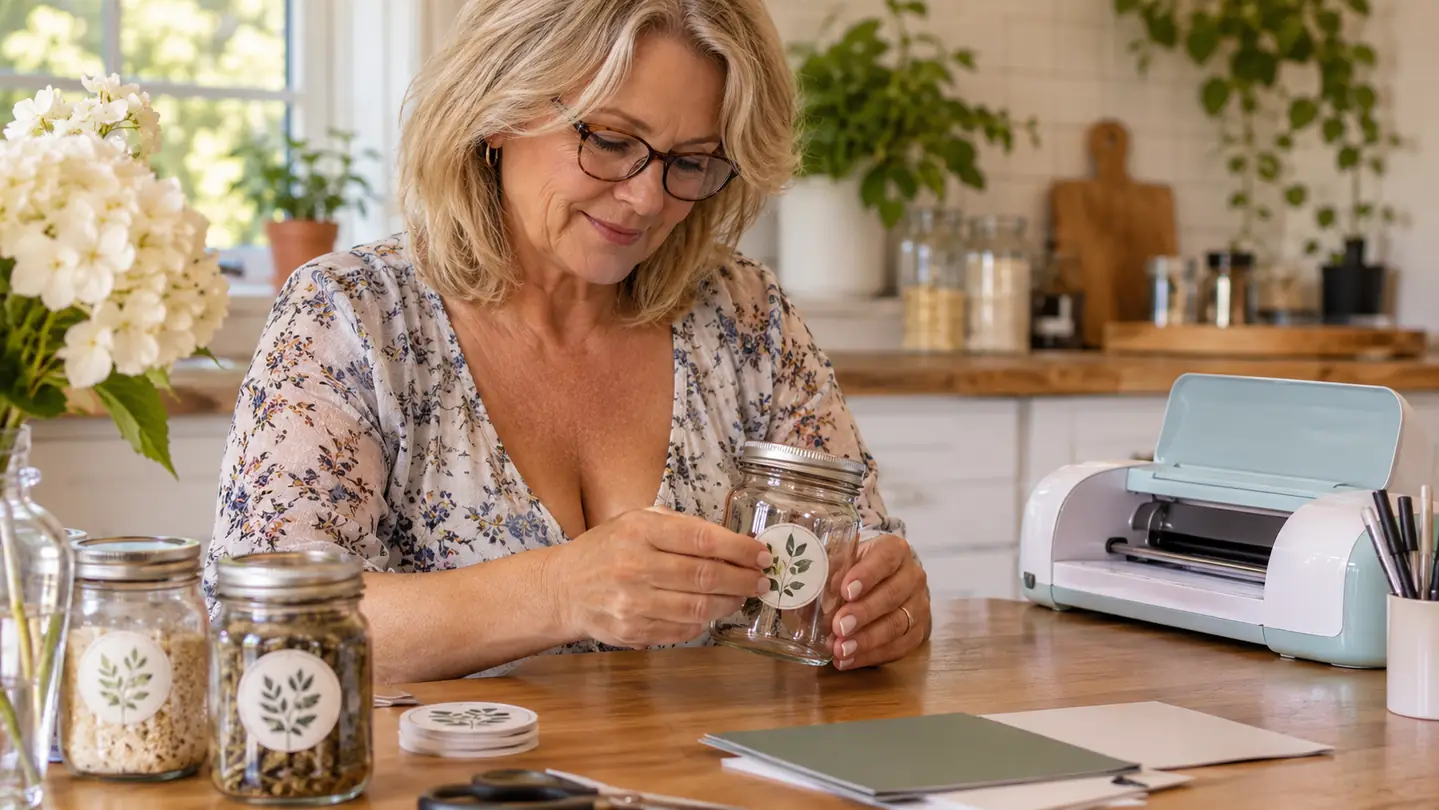
If you have been trying to decide between the Cricut Joy Xtra and the Silhouette Cameo, you are probably tired of reading spec sheets that sound like they were written by a robot. I do not blame you. When I brought the Cricut Joy Xtra into my craft room last winter, I had the same question: is the smaller machine enough, or do I need the big one everyone talks about? I remember the afternoon clearly. The craft room still had the faint smell of pine from the holidays, and the long folding table was covered in the usual mess: a pegboard wall of scissors and tape, a stack of cardstock, and a basket of ribbon that Biscuit had already investigated twice. It was the second Saturday in January, the Christmas tree was finally down, and I cleared a corner of the kitchen table to open the box. Biscuit, my beagle mix, immediately tried to make off with the ribbon from the packaging, and I spent the first ten minutes chasing him instead of reading the welcome card. After a season of vinyl signs, cardstock wreaths, and sticker sheets for the church bazaar, I have a clear answer, and it is not the one I expected.
The short version: the Cricut Joy Xtra is the machine I reach for most days, because it does the projects I actually make with almost no fuss. The Silhouette Cameo is the machine I would choose if I were cutting large sheets of vinyl for big wall art or selling decals by the dozen. I almost bought the Cameo first, because the bigger machine sounded more serious and I did not want to outgrow a tool in six months. Between the bazaar in December and the birthday cards I make for the grandkids of my friends, I cut something almost every week, so this was not a purchase I wanted to get wrong. In the end I borrowed Carol's Cameo for three weeks before I committed to anything, and that test changed my mind. They are both good machines. They are good at different jobs. Here is how I figured out which one belongs on your table.
| Cricut Joy Xtra | Silhouette Cameo | |
|---|---|---|
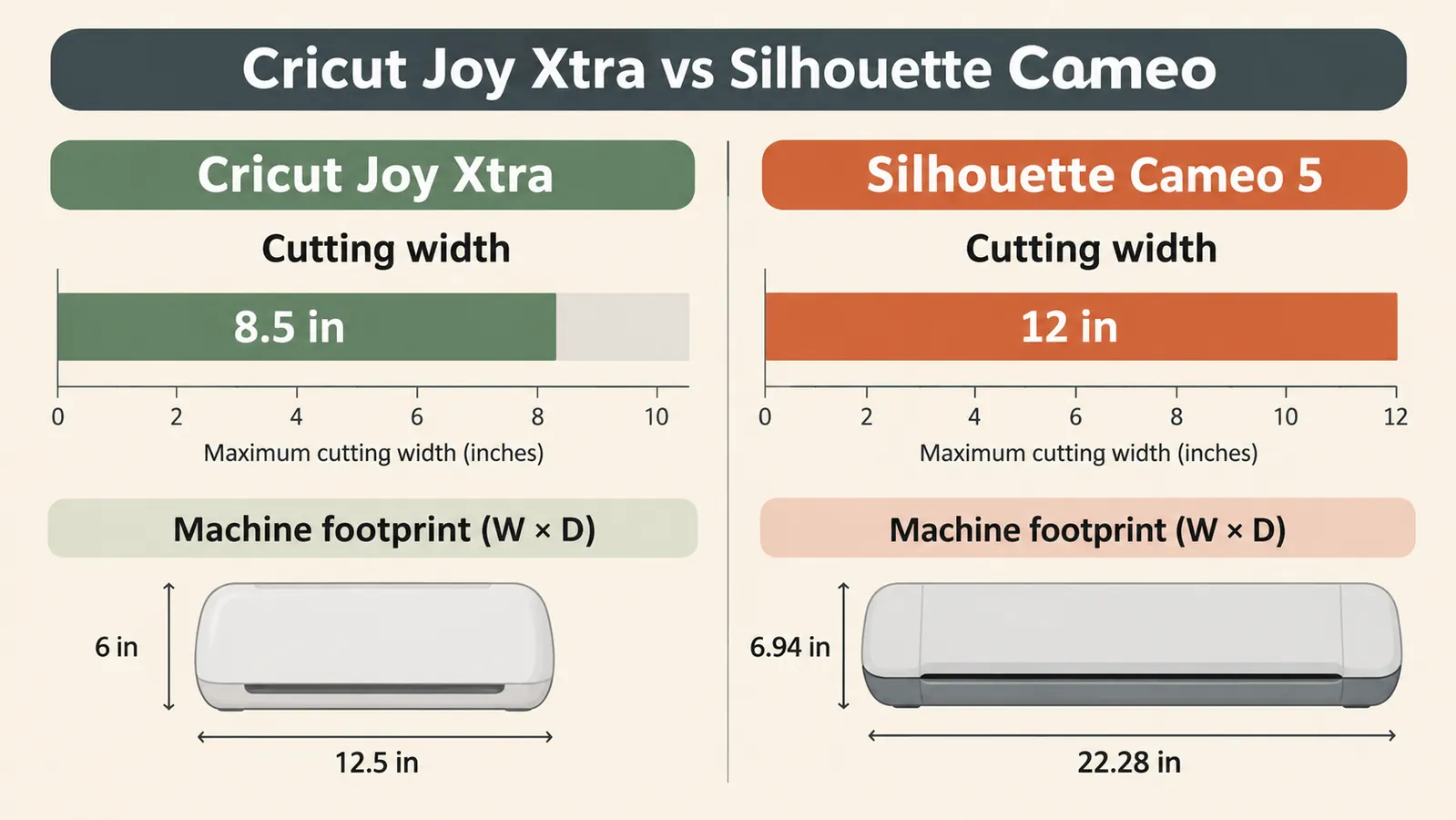
| Cutting width | Cuts up to 8.5 x 11 in mats, plenty for labels, cards, and small signs | Cuts up to 12 x 24 in, so you can do large wall vinyl and big stencils in one pass |
| Setup and learning curve | Out of the box in about 20 minutes, software is straightforward for a beginner | More menus and settings, steeper first-week learning curve |
| Footprint on the table | Compact machine that tucks away on a shelf between projects | Longer machine that needs a permanent spot on the table |
| Material range | Works with 50+ materials including vinyl, iron-on, cardstock, and stickers | Works with a very wide range of materials and third-party blades |
| Print-Then-Cut | Print-Then-Cut with an inkjet printer for full-color stickers and labels | Print-Then-Cut available, but the larger format takes more practice to line up |
| Best for | Kitchen-table crafters making gifts, cards, and home decor in small batches | Serious makers cutting large batches and big formats |
Where the Cricut Joy Xtra Wins
The Cricut Joy Xtra wins where I live: the corner of a spare bedroom with a folding table and a pegboard wall. It is small enough that I can slide it onto a shelf when I need the table for wrapping paper, and at 250 grams it is light enough that I move it to the kitchen when I want to cut while the coffee is brewing. That matters more than you would think. My craft room is the converted spare bedroom, and that table is also where I wrap gifts, sort Christmas cards, and spread out the Sunday paper. A machine that has to live on the table permanently would get in the way. This one tucks away. The pegboard keeps the blades and the weeder in reach, and the lidded bins on the shelf keep the yarn and ribbon away from a certain beagle who thinks craft supplies are snacks. The included components cover what you need to start: the machine, a Fine-Point Blade, a Fine Point Pen, a Mini Weeder, a Welcome card, a USB cable, and a power adapter. I did not have to buy a single extra thing before my first project, and the welcome card pointed me to 30 premium digital images that came with the bundle, so I was not staring at a blank screen on day one.
The other big win is the learning curve. The Cricut software walks you through the first cut like a patient friend. I am 58 years old and I have been crafting for about 25 years, but I am not a computer person. My first cut was a monogram for a canning jar. I loaded the mat a little crooked and the design came out a quarter inch off, but the machine cut it cleanly and the second try was perfect. That is the thing nobody tells you about these machines: the first cut is almost never the keeper, and the good machines make the second one easy. By the end of my first afternoon I had cut a set of vinyl labels for my canning jars. By the weekend I had made a birthday card with a pen drawing and a cut-out shape. The Print-Then-Cut feature works with an inkjet printer, so I can print full-color designs for stickers and labels and then cut them out cleanly. I made two sheets of sticker labels for the church bazaar in November and they lined up better than the ones I used to cut by hand with scissors. For someone who mostly makes gifts and seasonal decor in small batches, that is the difference between a tool you use and a tool you store.
Now the honest part. I did try to cut a 24-inch wall quote for the kitchen with the Joy Xtra, and it taught me exactly where this machine's limits are. The active surface area is 95.94 square inches, which covers a standard letter-size mat and no more. I split the quote into three sections, and the middle section came out slightly misaligned no matter how carefully I lined up the transfer tape. The project took me two evenings, and the result was fine from across the room but not something I would sell. It hangs in my kitchen anyway, because my husband Ron says he likes it, and I have learned to accept that compliment at face value. That is the moment I asked Carol if I could borrow her Cameo for a few weeks, and it is the reason this review compares the two machines instead of just praising one.
Want the machine that fits a real kitchen table?
The Cricut Joy Xtra does vinyl, iron-on, cardstock, and stickers without taking over your craft room. Check today's price on Amazon and see if it is in stock.
Amazon Check Today's Price on Amazon →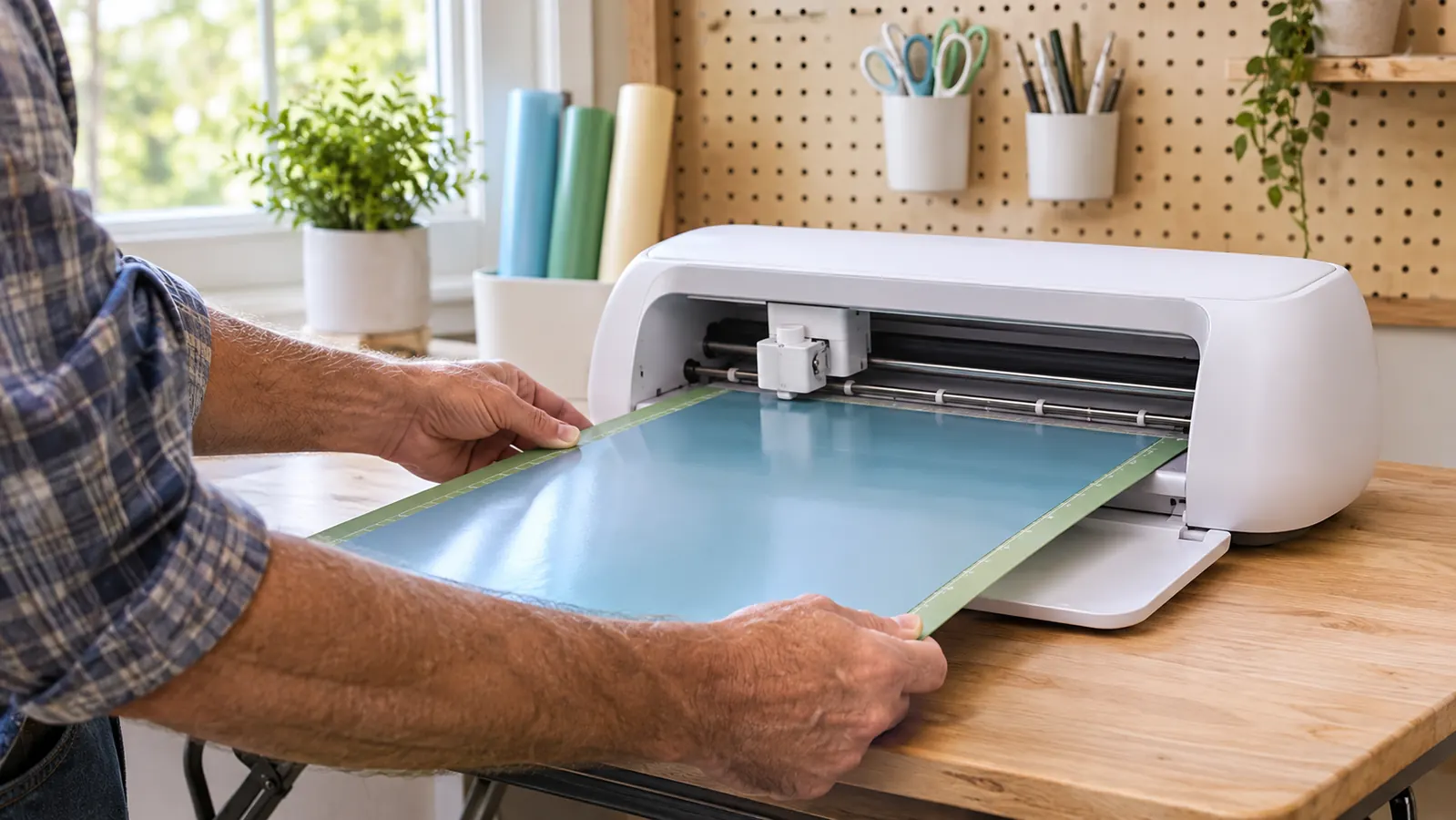
Where the Silhouette Cameo Wins
I borrowed a Silhouette Cameo from my neighbor Carol for three weeks, and I will tell you plainly: for big work, it is the better tool. The Cameo cuts up to 12 x 24 inches, which means I could cut a full wall quote in one pass instead of weeding and aligning three separate pieces. When I made a large stencil for a painted sign for the garage, the big mat saved me an entire evening. The sign itself was for a shelf Ron built in the garage, and the stencil had lettering almost two feet wide. On the Joy Xtra I would have cut it in four pieces and spent an hour lining up the transfer tape. On the Cameo it was one sheet, one pass, done. I laid out the whole stencil on one sheet, cut it in maybe twenty minutes, and spent the rest of the night painting instead of fiddling with transfer tape. That is the real difference between the two machines. It is not that one is good and the other is bad. It is that the Cameo does big work in one pass and the Cricut Joy Xtra does everyday work with almost no setup. If you sell decals or make large home decor on a regular basis, that cutting width alone is worth the extra space it takes up.
The Cameo also gives you more room to grow. It handles a very wide range of materials, and it takes third-party blades, which matters if you want to experiment with materials the brand does not make. The community around it has been making things for long enough that you can find an answer to almost any question, usually with a video. I found a forum thread about cutting flocked iron-on that saved me from ruining a whole sheet, and the answer had been posted within the hour. The tradeoff is that it asks more of you. The software has more menus, more settings, and more ways to get lost on your first few projects. I spent my first evening with the Cameo watching tutorials and still managed to cut a test piece at the wrong size because I had changed a page setting without realizing it. Carol laughed and told me she did the same thing for a week. If you enjoy tinkering and want a machine that can do nearly anything, the Cameo is the one. If you want to make a wreath before Saturday, the Cricut Joy Xtra is the one.
There is one more thing worth saying about the Cameo, and it is about how the two machines run. The Joy Xtra has an automatic operation mode, which is exactly what a beginner wants: you tell it what to cut, and it figures out the details. The Cameo expects you to make more of the decisions yourself, which is great once you know what you are doing and frustrating before you do. I am not the sort of crafter who enjoys fighting a settings menu at nine o'clock at night. For the three weeks I had it, I kept a small notebook of the settings that worked so I would not have to relearn them. If you buy the Cameo, plan to spend your first weekend getting acquainted with it. That investment pays off later, but it is real, and I do not want to pretend otherwise.
Who Should Buy Which
Buy the Cricut Joy Xtra if you are like me: you craft at the kitchen table or in a spare-room corner, you make gifts and seasonal decor, and you want a machine that is ready to go on a Sunday afternoon. It works with 50+ materials including vinyl, iron-on HTV, cardstock, and stickers, and the bundle includes 30 premium digital images so you are not starting from a blank screen. The 4.4-star rating from 780 reviews matches my experience: it is a dependable little workhorse that does not nag you. For the church bazaar last December I made twelve framed vinyl signs, a stack of cardstock wreaths, and three sheets of sticker labels, and I did every one of them on the Joy Xtra without a single ruined mat. The signs were for the teachers' lounge at the school where I used to work, and every one of them cut clean on the first try. That is the kind of dependability I care about at my age and my patience level. The one-year manufacturer warranty was the detail that made me comfortable buying it in the first place, because I knew if anything went wrong in month nine, I was covered.
Buy the Silhouette Cameo if you already know you will be cutting large formats or big batches. If your projects are 12-inch wall decals, big stencils, or products to sell, the larger cutting width will save you hours every month. Just be ready to give it a permanent spot on the table and a little more patience in the first week. And be honest with yourself about which of those describes you. I thought I wanted the big machine because it sounded more serious. Turns out I wanted the one that made it easy to finish a project before dinner. My advice is to write down the last five projects you actually made, not the ones you daydream about. If most of them fit on a letter-size sheet, the Joy Xtra is enough. If two of them were big wall pieces, get the Cameo and accept the learning curve as part of the deal. Either way, you are getting a real tool. The mistake is buying the one that matches the crafter you wish you were instead of the crafter you are. Ron, who builds me a shelf when I ask and otherwise stays out of the craft room, put it more simply. He said I bought the tool I will actually use, and that is the whole point. He is not crafty, but he is right.
Still leaning toward the smaller table?
The Cricut Joy Xtra is the one I reach for every week. See today's price on Amazon and read what other kitchen-table crafters say before you decide.
Amazon Check Today's Price on Amazon →